Some variable data type such as string, list, set and tuple allow you to search them by using the in keyword
Example
temp_list = [1, 2, 3] # Create a list with elements 1, 2, 3 temp_string = “Hello World!” # Create a string variable with value “Hello World!” if 1 in temp_list: # Check if the number 1 exists in temp_list print(“Found number 1”) # If True, print this message if “Hello” in temp_string: # Check if the substring “Hello” exists in temp_string print(“Found Hello”) # If True, print this message
temp_list = [1,2,3] temp_string = "Hello World!"
if 1 in temp_list: print("Found number 1")
if "Hello" in temp_string: print("Found Hello")
Result
Found number 1 Found Hello
Check the length
You can use the len function to check the length
Example
mobile = “1112223333” # Create a string variable representing a mobile number if len(mobile) == 10: # Check if the length of the mobile number is exactly 10 print(“Mobile number length is correct”) # If True, print this message
mobile = "1112223333"
if len(mobile) == 10: print("Mobile number length is correct")
Result
Mobile number length is correct
Check if Numeric
You can either use the .isdecimal method or loop the string character and check each one individually
Example
mobile = “1112223333” # Create a string variable representing a mobile number if len(mobile) == 10: # Check if the mobile number has exactly 10 characters print(“Mobile number length is valid”) # If True, print this message if mobile.isdecimal(): # Check if all characters in the string are decimal digits (0-9) print(“Mobile number pattern is valid”) # If True, print this message
mobile = "1112223333"
if len(mobile) == 10: print("Mobile number length is valid") if mobile.isdecimal(): print("Mobile number pattern is valid")
Result
Mobile number length is valid Mobile number pattern is valid
Or, you can loop each character and check if it’s number or not
Example
mobile = “1112223333” # Create a string variable representing a mobile number numbers = “1234567890” # String containing all valid numeric digits if len(mobile) == 10: # Check if mobile number has exactly 10 characters print(“Mobile number length is valid”) # Output message if length is valid for character in mobile: # Loop through each character in the mobile number if character in numbers: # Check if the character is a valid number print(character + ” is valid”) # Print a message for each valid character
mobile = "1112223333" numbers = "1234567890"
if len(mobile) == 10: print("Mobile number length is valid") for character in mobile: if character in numbers: print(character + " is valid")
Result
Mobile number length is valid 1 is valid 1 is valid 1 is valid 2 is valid 2 is valid 2 is valid 3 is valid 3 is valid 3 is valid 3 is valid
Check by index
You can also use indexing to check a specific character or sub-string
Example
mobile = “111-222-3333” # Create a string variable representing a mobile number in the format XXX-XXX-XXXX if len(mobile) == 12: # Check if the total length is 12 characters (including dashes) if mobile[3] == “-” and mobile[7] == “-“: # Check if the 4th and 8th characters are dashes if mobile[0:3].isdecimal() and mobile[4:7].isdecimal() and mobile[8:12].isdecimal(): # Check if the number parts are all digits: first three, middle three, last four print(“Mobile number is valid”) # If all conditions are met, print this message
mobile = "111-222-3333"
if len(mobile) == 12: if mobile[3] == "-" and mobile[7] == "-": if mobile[0:2].isdecimal() and mobile[4:6].isdecimal() and mobile[8:11].isdecimal(): print("Mobile number is valid")
Result
Mobile number is valid
Regex
Regex, or regular expression, is a language for finding a particular string based on a search pattern.
Characters
\d matches 0 to 9
\d\d\d\d with 1234567 returns 1234
\d+ with 1234567 returns 1234567
\w matches word character A to Z, a to z, 0 to 9, and _
\w\w with Hello! returns He, and ll
\w+ with Hello! returns Hello
\s matches white space character
. matches any character except line break
. with car returns c, a, and r
.* with car returns car
Character classes
[ ] for matching characters within the brackets
[abcd] matches a, b, c, or d
[a-d] matches a, b, c, or d (The – means to)
[^abcd] matches anything except a, b, c, or d (The ^ means negated character class)
[^a-d] matches anything except a, b, c, or d (The - means to, and ^ means negated character class)
Quantifiers
+ one or more
[1-2] with 112233 returns 1, 1, 2, 2
[1-2]+ with 112233 returns 1122
* zero or more
1*2* with 112233 returns 1122
{2} matches 2 times
1{4} with 111111 returns 1111
Boundaries
^ start of string
$ end of string
Normal
123456 with 123456789 returns 123456
abcdef with abcdefghijklmnopqrstuvwxyz returns abcdef
Escape special characters using \
Importing Regex (re) Module
To use the regex module named re, you need to make it available to use by using the import statement
Example
import re # Import Python’s built-in regular expression (regex) module print(dir(re)) # Print a list of all attributes, functions, and classes available in the ‘re’ module
You can use the .search method of re module to find a string based on regex pattern
Example
import re # Import the regular expression module mobile = “111-222-3333” # Create a string variable representing a mobile number if re.search(“\d\d\d-\d\d\d-\d\d\d\d”, mobile): # Search for the pattern XXX-XXX-XXXX using regex print(“Mobile number is valid”) # Print this message if the pattern matches
import re
mobile = "111-222-3333"
if re.search("\d\d\d-\d\d\d-\d\d\d\d",mobile): print("Mobile number is valid")
You can slice a string using smart indexing [] and : or ::
Example
temp_string = “abcdefghijk” # Create a string variable with value “abcdefghijk” print(temp_string[1:]) # Slice from index 1 to the end and print that print(temp_string[2:6]) # Slice from index 2 up to (but not including) index 6 and print that print(temp_string[::-1]) # Reverse the string using slicing and print that
first = “1234” # Create a string variable named first with value “1234” second = “5678” # Create a string variable named second with value “5678” print(first + second) # Concatenate the two strings and print that
first = "1234" second = "5678"
print(first + second)
Result
12345678
Replace a letter or sub-string
You can use the .replace method to replace a word or letter in the string. The .replace method has 3 parameters (old value, new value, count)
Example
temp_string = “Hello World!” # Create a string variable with value “Hello World!” print(temp_string.replace(“!”, “$”)) # Replace all occurrences of “!” with “$” and print that
temp_string = "Hello World!"
print(temp_string.replace("!","$"))
Result
Hello World$
Or, you can replace a word
Example
temp_string = “Hello World!” # Create a string variable with value “Hello World!” print(temp_string.replace(“World!”, “Mike”)) # Replace the substring “World!” with “Mike” and print that
temp_string = "Hello World!"
print(temp_string.replace("World!","Mike"))
Result
Hello Mike
Also, you can remove a word by replacing it with nothing
Example
temp_string = “Hello World!” # Create a string variable with value “Hello World!” print(temp_string.replace(“World!”, “”)) # Replace the substring “World!” with an empty string and print that
temp_string = "Hello World!"
print(temp_string.replace("World!",""))
Result
Hello
Uppercase
You can use the .upper method to return a copy of the string in upper case
Example
temp_string = “Hello World!” # Create a string variable with value “Hello World!” print(temp_string.upper()) # Convert all characters in the string to uppercase and print that
temp_string = "Hello World!"
print(temp_string.upper())
Result
HELLO WORLD!
Lowercase
You can use the .lower method to return a copy of the string in upper case
Example
temp_string = “Hello World!” # Create a string variable with value “Hello World!” print(temp_string.upper()) # Convert all characters in the string to lowercase and print that
temp_string = "Hello World!"
print(temp_string.lower())
Result
hello world!
Split
You can use the .split method to split the string. The split method has 2 parameters (separator, max_split) and the result is a list
Example
temp_string = “Hello World!” # Create a string variable with value “Hello World!” print(temp_string.split(” “)) # Split the string into a list using space as the separator and print that
temp_string = "Hello World!"
print(temp_string.split(" "))
Result
['Hello', 'World!']
Join
You can use the .join method to convert a list of strings into one single string
Example
temp_items = [“Hello”, “World”, “1”] # Create a list of strings print(“,”.join(temp_items)) # Join all elements of the list into a single string, separated by “,” and print that
temp_items = ["Hello","World","1"]
print(",".join(temp_items))
Result
Hello,World,1
Find
You can use .find to return the index of the first occurrence if found; Otherwise, it returns -1
Example
temp_string = “0123456789” # Create a string variable with value “0123456789” print(temp_string.find(“34”)) # Find the starting index of the substring “34” and print that
temp_string = "0123456789"
print(temp_string.find("34"))
Result
3
Count
You can use .count to return the number of occurrences if found; Otherwise, it returns 0
Example
temp_string = “1122334455” # Create a string variable with value “1122334455” print(temp_string.count(“1”)) # Count how many times the substring “1” appears in the string and print that
temp_string = "1122334455"
print(temp_string.count("1"))
Result
2
String Class
When you assign a string to a variable, it will create an str object, the str open includes different methods like __str__ that returns the defined string
Example
temp_var = “test” # Create a variable named temp_var and assign it the string “test” print(type(temp_var)) # Print the type of temp_var
class string(): # Define a class named string def __init__(self, var): # Constructor method, called when creating a new object self.var = var # Store the argument var in the instance variable self.var def __str__(self): # Define the string representation for printing return “{} __str__”.format(self.var) # Return the string with “__str__” appended def __eq__(self, other): # Define equality comparison for string objects if isinstance(other, string): # Check if other is also an instance of string return (self.var == other.var) # Compare the stored values return False # If other is not a string object, return False print(string(“test”) == string(“test”)) # Compare two string objects and print that
class string(): def __init__(self, var): self.var = var
A dict is a data type that stores a sequence of key:value pairs (a key is associated with a value). Keys have to be immutable and cannot be duplicated. Notice that dict and set use the same syntax {} . A dict will have key:value pairs, whereas a set, will only have values. Dictionaries are also known as associative arrays or hash tables.
Example
dict_1 = {“key_1”: “value_1”, “key_2”: “value_2”} # Create a dictionary with key-value pairs set_1 = {“value_1”, “value_2”} # Create a set with two unique values print(type(dict_1), “=”, dict_1) # Print the type of dict_1 and its contents print(type(set_1), “=”, set_1) # Print the type of set_1 and its contents
You can access a value by its key. If you have a dict named temp_dict that contains {"key_1":"value_1","key_2":"value_2"}, then you can access the value_1 by using key_1 as temp_dict["key_1"] and so on.
Example
temp_dict = {“key_1”: “value_1”, “key_2”: “value_2”} # Create a dictionary with two key-value pairs print(temp_dict[“key_1”]) # Access the value associated with the key “key_1” and print it
temp_dict = {“key_1”: “value_1”, “key_2”: “value_2”} # Create a dictionary with two key-value pairs print(temp_dict[“key_1”]) # Access the value associated with the key “key_1” using the method .get and print it
To get the keys of a dict, you can use the .keys method
Example
temp_dict = {“key_1”: “value_1”, “key_2”: “value_2”} # Create a dictionary with two key-value pairs print(temp_dict[“key_1”]) # Print all temp_dict keys
To get the values of a dict, you can use the .values method
Example
temp_dict = {“key_1”: “value_1”, “key_2”: “value_2”} # Create a dictionary with two key-value pairs print(temp_dict[“key_1”]) # Print all temp_dict values
You can use the update method to add a new pair or update a current pair. Remember that a dict cannot have duplicate keys. So, if you use an existing key, the value will be updated. Otherwise, a new pair will be added to the dict
Example
temp_dict = {“key_1”: “value_1”, “key_2”: “value_2”} # Create a dictionary with two key-value pairs temp_dict.update({“key_1”: “new_value”}) # Update the value of “key_1” to “new_value” print(temp_dict) # Print the updated dictionary temp_dict.update({“key_3”: “value_3”}) # Add a new key-value pair “key_3”: “value_3” to the dictionary print(temp_dict) # Print the updated dictionary
You can use the assignment statement = with the value corresponding key
Example
temp_dict = {“key_1”: “value_1”, “key_2”: “value_2”} # Create a dictionary with two key-value pairs temp_dict[“key_1”] = “new_value” # Update the value of “key_1” to “new_value” print(temp_dict[“key_1”]) # Access and print the updated value of “key_1”
You can use the len function, which will return the number of keys
Example
temp_dict = {“key_1”: “value_1”, “key_2”: “value_2”} # Create a dictionary with two key-value pairs print(len(temp_dict)) # Print the number of key-value pairs in the dictionary
To delete a key:value pair, use the del function with the key
Example
temp_dict = {“key_1”: “value_1”, “key_2”: “value_2”} # Create a dictionary with two key-value pairs del(temp_dict[“key_1”]) # Delete the key-value pair with key “key_1” from the dictionary print(temp_dict) # Print the updated dictionary
A dict is an immutable objects are passed by reference to function
def change_value(param_in): # Define a function that takes one parameter called param_in param_in.update({2: “test”}) # Update the dictionary by adding a new key-value pair 2: “test” var = {1: “test”} # Create a dictionary with one key-value pair 1: “test” print(“Value before passing: “, var) # Print the dictionary before calling the function change_value(var) # Call the function; the dictionary is modified inside the function print(“Value after passing: “, var) # Print the dictionary after the function call
A list is a data type that stores multiple\any data types in an ordered sequence. It is mutable and one of the most used data types in Python. You can store integers, floats, strings, and so on.
Example
temp_list = [1, 2, 3, 4, 5] # Create a list named temp_list containing the numbers 1 through 5 print(temp_list) # Print the entire list
temp_list = [1,2,3,4,5]
print(temp_list)
Result
[1,2,3,4,5]
The following snippet is a list that uses multiple data types
Example
print([1, {1}, (1, 2), “Hello”, 2.9]) # Print a list containing different data types
print([1,{1},(1,2),"Hello",2.9])
Result
[1, {1}, (1, 2), 'Hello', 2.9]
Indexing
Indexing means accessing any item inside the list by using its index. If you have a list named listOfstrings that contains ["a","b","c"], then listOfstrings[0] represents the first item. So, listOfstrings[0] is equal to a, listOfstrings[1] is equal to b, and listOfstrings[2] is equal to c.
Example
listOfstrings = [“a”, “b”, “c”] # Create a list named listOfstrings containing three letters print(listOfstrings[0]) # Print the first element of the list (a) print(listOfstrings[1]) # Print the second element of the list (b) print(listOfstrings[2]) # Print the third element of the list (c)
You can use a smart index to access different elements inside lists, [-1] will return the last item inside the list
Example
temp_list = [“a”,”b”,”c”] # Create a list named temp_list containing three letters print(temp_list[-1]) # Print the last item
listOfstrings = ["a","b","c"]
print(listOfstrings[-1])
Result
c
Or, you can use [-2] will return the second-to-last element of the list
Example
temp_list = [“a”,”b”,”c”] # Create a list named temp_list containing three letters print(temp_list[-2]) # Print the second-to-last element
listOfstrings = ["a","b","c"]
print(listOfstrings[-2])
Result
b
Modify an item inside a list
You can modify any item inside lists because they are mutable.
Example
listOfitems = [“a”, “b”, “c”] # Create a list named listOfitems with three elements listOfitems[0] = “aa” # Change the first element from “a” to “aa” listOfitems[1] = 2022 # Change the second element from “b” to 2022 (integer) print(listOfitems) # Print the updated list
A list can have duplicates, whereas a set cannot have duplicates
Example
listOfitems = [1, 2, 3] # Create a list named listOfitems with elements 1, 2, 3 listOfitems[1] = 1 # Change the second element (index 1) from 2 to 1 listOfitems[2] = 1 # Change the third element (index 2) from 3 to 1 print(listOfitems) # Print the updated list → Output: [1, 1, 1]
You can loop through a list in a few ways, and you can use the for statement (Remember to indent after the for statement)
Example
temp_items = [1, 2, 3] # Create a list named temp_items with elements 1, 2, 3 for item in temp_items: # Loop through each element in the list print(item) # Print the current element (item) in each iteration
temp_items = [1,2,3]
for item in temp_items: print(item)
Result
1 2 3
Or, if you do not want to indent, you can do
Example
temp_items = [1, 2, 3] # Create a list named temp_items with elements 1, 2, 3 for item in temp_items:print(item): # Loop through each element in the list, print the current element (item) in each iteration
temp_items = [1,2,3]
for item in temp_items:print(item)
Result
1 2 3
Length
To get the length of a list, you can use the len function, or you can look through the items and increase a counter value
Example
temp_items = [1, 2, 3] # Create a list named temp_items with elements 1, 2, 3 print(len(temp_items)) # Print the size of the list
temp_items = [1,2,3]
print(len(temp_items))
Result
3
Add item
To add an item to a list, you can use .append method
temp_items = [1, 2, 3] # Create a list named temp_items with elements 1, 2, 3 temp_items.append(4) # Add the element 4 to the end of the list using append() print(temp_items) # Print the updated list
Example
temp_items = [1,2,3]
temp_items.append(4) print(temp_items)
Result
[1, 2, 3, 4]
Remove item by Value
To remove an item inside a list, you can use .remove method. This method will remove an item by value
Example
temp_items = [1, 2, 3] # Create a list named temp_items with elements 1, 2, 3 temp_items.remove(2) # Remove number 2 from the list print(temp_items) # Print the updated list
temp_items = [1,2,3]
temp_items.remove(2) print(temp_items)
Result
[1, 3]
Remove item by Index
To remove an item inside a list, you can use del statement. This statement will remove an item by index, but you will need to use [index]
Example
temp_items = [1, 2, 3] # Create a list named temp_items with elements 1, 2, 3 del temp_items[1] # Remove number 2 from the list by index print(temp_items) # Print the updated list
temp_items = [1,2,3]
del temp_items[1] print(temp_items)
Result
[1, 3]
Clear a list
To remove all items from a list, you can use the .clear method
Example
temp_items = [1, 2, 3] # Create a list named temp_items with elements 1, 2, 3 temp_items.clear() # Clear all the items from the list print(temp_items) # Print the updated list
temp_items = [1,2,3]
temp_items.clear() print(temp_items)
Result
[]
Pass By Reference
List is an immutable objects are passed by reference to function
Example
def change_value(param_in): # Define a function that takes one parameter called param_in param_in.append(99) # Append the number 99 to the list param_in (modifies the original list) var = [0, 1, 2, 3, 4, 5] # Create a list variable var with initial values print(“Value before passing: “, var) # Print the list before calling the function change_value(var) # Call the function and pass var; the list is modified inside the function print(“Value after passing: “, var) # Print the list after the function call; shows the updated list
def change_value(param_in): param_in.append(99)
var = [0,1,2,3,4,5]
print("Value before passing: ", var) change_value(var) print("Value after passing: ", var)
Result
Value before passing: [0, 1, 2, 3, 4, 5] Value after passing: [0, 1, 2, 3, 4, 5, 99]
Function is a reusable block of code that has 2 parts:
A def statement that defines the function name – E.g. def example_1(): or def example(param_in):
Function body that contains a block of code that will be executed when the function is called
The following snippet will declare a function, but it won’t execute it:
Example
def example_1(): # Define a function named example_1 temp_val = 10 # Create a local variable temp_val and assign it the value 10 print(temp_val) # Print the value of temp_val when the function is called
def example_1(): temp_val = 10 print(temp_val)
Result
If you want to execute\call it, use example_1() somewhere else without def statement:
Example
def example_1(): # Define a function named example_1 temp_val = 10 # Create a local variable temp_val and assign it the value 10 print(temp_val) # Print the value of temp_val when the function is called
example_1(): # Call the function to execute its code
def example_1(): temp_val = 10 print(temp_val)
example_1()
Result
10
Function
You can define a function using the def statement, followed by the function’s name, then (): and the rest have to be indented (spaces or tabs). To call the function, use the function name + ().
Example
def temp_function(): # Define a function named temp_function that takes no parameters print(“What’s up”) # Print the message “What’s up” when the function is called
temp_function() # Call the function to execute its code
def temp_function(): print("What's up")
temp_function()
Result
What's up
Also, you can define a function that takes arguments using the def statement, followed by the function’s name, then add your parameters inside (): and the rest has to be indented (spaces or tabs). To call the function, use the function name + the arguments inside().
Example
def temp_function(param): # Define a function named temp_function with one parameter called param print(param) # Print the value passed into param when the function is called
temp_function(“What’s up”) # Call the function and pass the string “What’s up” as an argument
def temp_function(param): print(param)
temp_function("What's up")
Result
What's up
Functions Arguments & Parameters
To pass arguments to a function E.g. Tim, declare a function and add parameters inside the parentheses what_is_your_name(first_param):
Example
def what_is_your_name(first_param): # Define a function that takes one parameter called first_param print(“You passed”, first_param) # Print the message along with the value passed to the function
what_is_your_name(“Tim”) # Call the function with a string what_is_your_name(1) # Call the function with an integer what_is_your_name([“Nancy”, 2]) # Call the function with a list containing a string and an integer
You passed Tim You passed 1 You passed ['Nancy', 2]
Multiple Arguments & Parameters
You can pass multiple arguments to a function if a function is declared with multiple parameters. You cannot declare a function with duplicate parameters; they must be unique. E.g. you declared def sayFirstLast(first, last): that has first and last as parameters and prints(first, last) in the body.
Example
def sayFirstLast(first, last): # Define a function with two parameters: first and last print(first, last) # Print the values of first and last separated by a space
sayFirstLast(“Dennis”,”Smith”) # Call the function with first=”Dennis” and last=”Smith” sayFirstLast(“Sara”,”Mars”) # Call the function with first=”Sara” and last=”Mars”
You can declare or re-declare a function using the same def statement. If you have a function named say_hello() that prints Hello, you can re-declare again and change Hello to Hi (Because Python executes code line by line)
Example
def say_hello(): # Define a function named say_hello print(“Hello”) # Print “Hello” when the function is called
say_hello() # Call the first version of say_hello
def say_hello(): # Redefine the function say_hello (overwrites the previous one) print(“Hi”) # Print “Hi” when the new function is called
If you want to return a value from a function, use the return statement. Let’s say that you have a function named multiply_by_4 that multiplies any number you pass to it (It does not output the number); you can get the result using the return statement.
Example
def say_hello(param_1): # Define a function that takes one parameter called param_1 return param_1 * 4 # Return the value of param_1 multiplied by 4
returned_value = say_hello(10) # Call the function with 10; the result (10*4=40) is stored in returned_value print(returned_value) # Print the value stored in returned_value → Output: 40 print(say_hello(100)) # Call the function with 100; returns 100*4=400 print(say_hello(say_hello(1))) # Nested call: Inner say_hello(1) returns 1*4 = 4, outer say_hello(4) returns 4*4 = 16
A function with an empty block will cause an error. E.g. IndentationError: expected an indented block. To write an empty function, you can use the pass statement in the body.
def empty_function(): # Define a function named empty_function that does nothing pass # pass is a placeholder; it allows the function to exist without any action
empty_function() # Call the function; nothing happens because it contains only pass
Example
def empty_function():
pass
empty_function()
Result
Function Overloading
You can use the function overloading technique to define multiple functions with the same name but taking different arguments
Example
from functools import singledispatch # Import singledispatch to create a function that behaves differently based on input type
@singledispatch def temp_function(param_in): # Define the generic function for types that don’t have a specific handler print(“Other:”, param_in) # Default behavior for unregistered types
@temp_function.register(int) # Register a special behavior for int type def _(param_in): print(“Integer:”, param_in) # Print “Integer:” followed by the value if param_in is an int
@temp_function.register(str) # Register a special behavior for str type def _(param_in): print(“String:”, param_in) # Print “String:” followed by the value if param_in is a string
temp_function(1) # Call with an int temp_function(“Test”) # Call with a string temp_function({1,2,3}) # Call with a set
Control Flow in Python refers to the order in which the statements and instructions in a Python program are executed. By default, Python executes code sequentially from top to bottom, but control flow structures allow you to make decisions, repeat actions, or change the execution path based on conditions. The main control flow tools in Python include:
Logical Expression
Logical Expression is a statement that can either be true or false. The following are some of the comparison operators:
1 > 2 is 1 bigger than 2 (Result is False) 1 < 2 is 1 smaller than 2 (Result is True) 1 == 2 is 1 equal to 2 (Result is False) 1 != 2 is 1 not equal to 2 (Result is True) 1 => 2 is 1 is equal or bigger than 2 (Result is False) 1 <= 2 is 1 is equal or smaller than 2 (Result is True)
Example
if 100 > 99: # Condition: if 100 is greater than 99 (True) print(“Good!”) # Since the condition is True, print “Good!”
if 100 > 99: print("Good!")
Result
Good!
Logical Operators
Logical Operators are used to connect\combine multiple logical expressions. The following are some of the logical operators:
1 == 1 and 2 == 2 is True because both statement are True 1 == 1 and 1 == 2 is False because only one statement is True 1 == 1 or 1 == 2 is True one of the statements is True 1 == 2 or 1 == 2 is False because neither statements is True
Example
if 100 > 99 and 99 == 99: # Both conditions must be True for the code inside to execute print(“Good!”) # Both conditions are True, so “Good!” is printed
if 100 > 99 and 99 == 99: print("Good!")
Result
Good!
if Statement
if keyword executes a block of code when a logical condition is met. if statement is one of the most well-known statement types. The if statement usually ends with :, and the block of code after the if a statement is indented.
Example
if 1 == 1: # Condition evaluates to True print(“Good!”) # Since the condition is True, print “Good!”
if 1 == 1: print("Good!")
Result
Good!
Or, you can do that without indentation
Example
if True: print(“Good!”) # Condition evaluates to True, since the condition is True, print “Good!”
if True:print("Good!")
Result
Good!
if … elif Statement
if … elif keywords are used to check for multiple logical conditions.
Example
temp_value = 1 # Assign the value 1 to the variable temp_value if temp_value == 1: # If temp_value equals 1 print(“Value is 1”) # Print this message elif temp_value == 2: # Otherwise, if temp_value equals 2 print(“Value is 2”) # Print this message elif temp_value == 3: # Otherwise, if temp_value equals 3 print(“Value is 3”) # Print this message
temp_value = 1
if temp_value == 1: print("Value is 1") elif temp_value == 2: print("Value is 2") elif temp_value == 3: print("Value is 3")
Result
Value is 1
Now, change temp_value to 2 and try again
Example
temp_value = 2 # Assign the value 2 to the variable temp_value if temp_value == 1: # If temp_value equals 1 print(“Value is 1”) # Print this message elif temp_value == 2: # Otherwise, if temp_value equals 2 print(“Value is 2”) # Print this message elif temp_value == 3: # Otherwise, if temp_value equals 3 print(“Value is 3”) # Print this message
temp_value = 2
if temp_value == 1: print("Value is 1") elif temp_value == 2: print("Value is 2") elif temp_value == 3: print("Value is 3")
Result
Value is 2
if … else Statement
if … else keywords are used to check for one logical condition, if not, then execute the block of code after the else statement
Example
if 1 == 2: # Condition is False print(“Value is 1”) # This line is skipped because the condition is False else: # Otherwise print(“Value is 2”) # Since the 1 == 2 condition is False, this line is executed
if 1 == 2: print("Value is 1") else: print("Value is 2")
Result
Value is 2
for Statement
for keyword is used to iterate over a sequence (list, tuple, set, dict or, string) and executes a block of code every iteration. The for statement usually ends with :, and the block of code after the for a statement is indented.
Example
for item in range(5): # range(5) generates numbers 0,1,2,3,4 print(item) # Print the current value of item in each iteration
for item in range(5): print(item)
Result
0 1 2 3 4
Or, you can do that without indentation
Example
for item in range(5):print(item) # range(5) generates numbers 0,1,2,3,4, then print the current value of item in each iteration
for item in range(5):print(item)
Result
0 1 2 3 4
while statement
while keyword is used to repeat executing a block of code as long as a condition is met. The while statement usually ends with :, and the block of code after the while a statement is indented.
Example
counter = 0 # Initialize a counter variable to 0 while counter < 5: # Continue looping while counter is less than 5 print(counter, “is less than 5”) # Print the current value of counter and message counter = counter + 1 # Increment counter by 1 in each iteration
counter = 0
while counter < 5: print(counter, "is less than 5") counter = counter + 1
Result
0 is less than 5 1 is less than 5 2 is less than 5 3 is less than 5 4 is less than 5
break statement
break keyword is used to break for or while loop
Example
while True: # Start an infinite loop break # Immediately exit the loop print(“Looping…”) # This line will never run because break exits the loop first
while True: break print("Looping...")
Result
Nested statements
You can nest statements (Remember to indent when you nest)
Example
for item in range(5): # Loop through numbers from 0 to 4 if item == 2: # Check if the current item equals 2 print(“Item”, item, “Found!”) # Print the item 2 print(“Breaking the loop”, item) # Print a message before breaking break # Exit the loop immediately
for item in range(5): if item == 2: print("Item", item, "Found!") print("Breaking the loop", item) break
A combination of values (E.g. 5) and operators (E.g. +), which will be evaluated to a value
Example
9 * 98 # multiplies the numbers (result = 882) / 1 # divides by 1 (so the value stays 882) print() # displays the result in the console
print(9*98/1)
Result
882.0
Operators Precedence
Is the order of operations (PEMDAS) – If you have multiple operations, E.g. (+ and /) in the same expression, the division will be evaluated first, then the addition because of the PEMDAS rule
The order is:
() Parentheses
** Exponentiation
* Multiplication
/ Division
+ Addition
- Subtraction
Statement
An instruction that gets executed by the Python interpreter
Simple Statement is written in one line (It does simple operation)
break – Terminates the closest for or while loop
pass – Used as placeholder
del – Deletes object
import – Finds, loads and initializes a module
return – Sends the result of a function to a caller
continue – Ends the current iteration of a loop
Compound Statement
if – Executes a block of code based on a condition
while – An uncontrolled loop (Number of iterations is unknown)
for – A controlled loop (Number of iterations is known)
try – Used for exception handling
Value
The actual data, and Python has a few data types. We can store those data types in variables.
Variable
A container that stores values, it must start with a letter or the underscore symbol and contains alpha-numeric-underscore only (abcdefghijklmnopqrstuvwxyzABCDEFGHIJKLMNOPQRSTUVWXYZ012456789_).
Some Data Types
Data Type is an attribute that tells the computer system how to interpret its value. Computer systems use different data types and each data type has a fixed or not-fixed length. E.g, an Integer (int) is a common data type that represents numbers data without fractions, the size of int is fixed (4 bytes) in many systems. Some data types like Text (string) are not-fixed, but it has a max size like 65,535 bytes (Sometimes, data types with fixed sizes like Integer (int) can change based on the implementation)
int (Number)
5
61111
7988787
float (Number)
0.5
0.841
9.20000008884
bool
True
False
list (Ordered collection of items – mutable)
[1,2,3,4,’hello’]
tuple (Ordered collection of items – immutable)
(1,2,3,4,’hello’)
set (Unordered collection of items – no duplicates)
{1,2,3,4,’hello’}
dict (Collection of sequence key:value – no key duplicates)
{1:”test”,2:”test”}
string
‘Hello’
“Hello”
Mutable
Something is changeable, whereas immutable is something we cannot change.
Assign value to variable
The assignment operator in Python is = symbol; Usually, the variable is on the left side, and the value is on the right side.
Example
var = 1 # Integer variable storing the number 1 var20 = ‘python’ # String variable storing the text ‘python’ var_99 = [1,2,3,4] # List variable containing four numbers VaR = {1,2,4,5} # Set variable containing unique numbers (unordered collection)
print(var) # Print the value stored in variable ‘var’ print(var20) # Print the string stored in ‘var20’ print(var_99) # Print the list stored in ‘var_99’ print(VaR) # Print the set stored in ‘VaR’
var = 1 var20 = 'python' var_99 = [1,2,3,4] VaR = {1,2,4,5}
print(var) print(var20) print(var_99) print(VaR)
Result
1 python [1,2,3,4] {1,2,4,5}
Output & Input
You can output data using the print function, and you can get the user’s data using the input function.
Example
temp_name = input(“Enter your name: “) # Prompt the user to type their name and store it in the variable temp_name print(“Your name is: ” + temp_name) # Concatenate the text “Your name is: ” with the value of temp_name and print it
temp_name = input("Enter your name: ") print("Your name is: " + temp_name)
Result
Enter your name: Sara Your name is Sara
Function
A reusable block of code, you can define a function using the def statement, followed by the name of the function, then (): and the body has to be indented (spaces or tabs). To call the function, use the function name + ().
Example
def temp_function(): # Define a function named temp_function print(“Hello World”) # Print the message “Hello World”
temp_function() # Call the function to execute its code
def temp_function(): print("Hello World")
temp_function()
Result
Hello World
Also, you can define a function that takes arguments using the def statement, followed by the name of the function, then add your parameters inside (): and the body has to be indented (spaces or tabs). To call the function, use the function name + the arguments inside ().
Example
def temp_function(param1): # Define a function named temp_function with one parameter called param1 print(param1) # Print the value passed into param1
temp_function(“Hello World!”) # Call the function and pass the string “Hello World!” as the argument
def temp_function(param1): print(param1)
temp_function("Hello World!")
Result
Hello World!
Argument
A value that are passed to a function when it is called.
Example
def temp_function(param_in): # Define a function with one parameter called param_in print(param_in) # Output the value stored in param_in
temp_function(“Hello Jim”) # Call the function and pass “Hello Jim” as the argument
def temp_function(param_in): print(param_in)
temp_function("Hello Jim")
Result
Hello Jim
Parameter
The names of the data declared in the function’s parenthesis.
Example
def temp_function(param_in): # Define a function called temp_function with one parameter named param_in print(param_in) # Print the value passed into the parameter param_in
temp_function(“Hello world”) # Call the function and pass the string “Hello world” as the argument
def temp_function(param_in): print(param_in)
temp_function("Hello world")
Result
Hello world
Indentation
This refers to the leading white-space (Spaces and tabs) at the beginning of the code.
Example
if 1 == 1: # Check if the value 1 is equal to 1 using the equality operator == print(“True”) # If the condition is True, print the text “True”
if 1 == 1: print("True")
Result
True
Pass By Value
Mutable objects are passed by values to function
Example
def change_value(param_in): # Define a function that takes one parameter called param_in param_in = param_in * 10 # Multiply param_in by 10 and store the result in the local variable param_in
var = 10 # Create a variable var and assign it the value 10
print(“Value before passing: “, var) # Print the value of var before calling the function change_value(var) # Call the function and pass var as an argument print(“Value after passing: “, var) # Print the value of var again (it remains unchanged)
print("Value before passing: ", var) change_value(var) print("Value after passing: ", var)
Output
Value before passing: 10 Value after passing: 10
Pass By Reference
Immutable objects are passed by reference to function
Example
def change_value(param_in): # Define a function that takes one parameter called param_in param_in.append(99) # Append the number 99 to the list param_in (modifies the original list)
var = [0, 1, 2, 3, 4, 5] # Create a list variable var with initial values
print(“Value before passing: “, var) # Print the list before calling the function change_value(var) # Call the function and pass var; list is modified inside the function print(“Value after passing: “, var) # Print the list after function call; shows the updated list
def change_value(param_in): param_in.append(99)
var = [0,1,2,3,4,5]
print("Value before passing: ", var) change_value(var) print("Value after passing: ", var)
Output
Value before passing: [0, 1, 2, 3, 4, 5] Value after passing: [0, 1, 2, 3, 4, 5, 99]
Print function()
The print function outputs a string representation of the object to the standard output. If the object contains __str__ method, it will be called by the print function
Example
class string: # Define a class named string def __init__(self, var): # Constructor that initializes the object with a value var self.var = var # Store the value in the instance variable self.var
def __str__(self): # Define string representation for printing return f'{self.var}’ # Return the value of self.var as a string
def __eq__(self, other): # Define equality comparison between two string objects if isinstance(other, string): # Check if ‘other’ is an instance of string return self.var == other.var # Compare their stored var values return False # If other is not a string object, return False
print(string(“test”) == string(“test”)) # Create two string objects, compare them and output the result
class string: def __init__(self, var): self.var = var
C Language Compiled Code refers to the machine-readable version of a program written in the C programming language. When you write C source code in human-readable files (.c and .h), it cannot be executed directly by a computer. A compiler translates this source code through several stages including preprocessing, compilation to assembly, assembling into object code, and linking with libraries to produce a standalone executable file. The resulting compiled code consists of binary instructions that the CPU can interpret and run directly. This makes compiled code fundamentally different from the original C source code, which is intended for humans to read, write, and modify.
Source Code
The code is in C language (.c and .h files)
cat # Command used to display the contents of a file test.c # The C source file whose contents will be printed to the terminal
(host) cat test.c
#include <stdio.h> // Includes the Standard Input/Output library so we can use functions like printf()
int main(){ // The main function: program execution starts here printf(“Hello World!”); // Prints the text “Hello World!” to the standard output (usually the terminal) return 0; // Ends the program and returns 0 to the operating system indicating successful execution }
#include <stdio.h>
int main(){ printf("Hello World!"); return 0; }
Pre-Processor
This step includes the headers and expand the macros, the generated file have the .i, .ii extensions
gcc # GNU C Compiler -E # Tells gcc to run only the preprocessor (expands #include, #define, etc.) test.c # The C source file being processed | # Pipe operator; sends the output of the command on the left to the command on the right head # Displays only the first 10 lines of the output
The assembly code gets converted into object code/machine code, the generated file have the .o, .obj extensions
gcc # GNU C Compiler -c # Compile the source code into an object file (machine code) without linking test.c # The C source file being compiled
(host) gcc -c test.c
cat # Outputs the contents of the file test.o # Object file containing compiled machine code | # Pipe operator; sends output of the left command to the right command xxd # Converts binary data into a hexadecimal (hex) and ASCII representation | # Pipe operator again head # Displays only the first 10 lines of the hex output
The last step is combining the object code/machine code and .lib/.a static library files, the generated file have the .exe, elf, bin extensions
gcc # GNU C Compiler used to compile and link the program test.c # The C source file being compiled -o # Option to specify the name of the output file test.bin # Name of the final executable binary file that will be created
(host) gcc test.c -o test.bin
cat # Outputs the contents of the file test.bin # The compiled executable binary file | # Pipe operator; sends output of one command to another xxd # Converts binary data into hexadecimal and ASCII representation | # Pipe operator again head # Displays the first 10 lines of the output
Computer Programming is the process of designing, creating, testing, and maintaining programs to perform specific tasks or solve particular problems. It involves translating logical solutions into a language computers can understand and execute. Programmers use languages like Python, Java, C++, or JavaScript to write code that instructs computers on how to carry out required operations.
Python
Python is a high-level, interpreted programming language known for its simplicity, readability, and versatility. It was first released in 1991 as Python 0.9.0 by Guido van Rossum. Python is cross-platform, so it can run on various operating systems like Windows, macOS, and Linux without significant code changes.
Python supports object-oriented programming, allowing developers to design software using objects that encapsulate data and behavior. It also supports procedural and functional programming paradigms, making it highly flexible. As an interpreted language, Python executes code line by line, which facilitates rapid development, easier debugging, and interactive testing.
Interpreted (?)
Interpreted refers to a method of program execution where the source code is not directly compiled into machine code beforehand. Instead, the code is executed line by line or in small sections at runtime, often through an interpreter.
Interpretation Process
Source Code: The programmer writes Python code in a human-readable form.
Compilation to Bytecode: Before execution, Python automatically translates the source code into bytecode, which is a low-level, platform-independent representation of the code.
Execution by the Python Virtual Machine (PVM): The PVM reads and executes the bytecode, translating it into machine-level instructions that the computer can understand.
Advantages
Cross-Platform Compatibility: Since the bytecode is platform-independent, the same Python program can run on any system with a compatible Python interpreter.
Ease of Debugging: Errors are caught during runtime, making testing and debugging easier, especially for beginners.
Interactive Development: Python supports interactive execution, allowing developers to test code snippets immediately without compiling the entire program.
Compiled
Compiled refers to a method of program execution where the source code written by the programmer is directly translated into machine code by a compiler before the program is run. Machine code consists of low-level instructions that a computer’s processor can execute directly.
Compilation Process:
Source Code: The programmer writes human-readable code in a programming language such as C, C++, or Rust.
Compilation: The compiler analyzes the source code, checks it for errors, and translates it into machine code specific to the target processor and operating system. This results in an executable file.
Linking: If the program uses external libraries or modules, the compiler links them together with the machine code to create a complete, runnable program.
Execution: The final executable file can be run directly by the computer without needing an interpreter.
Advantages
Faster Execution: Compiled programs generally run faster because the code is already translated into machine language.
Platform-Specific: The resulting executable is usually specific to the operating system and processor architecture it was compiled for.
Error Detection: Compilation detects many errors before the program is run, which can make debugging easier.
No Runtime Translation: Unlike interpreted languages, compiled code does not require an interpreter to execute.
Cross-Platform
Cross-Platform refers to software, applications, or programming languages that can run on multiple operating systems or hardware platforms with minimal modification. This means the same program can function on Windows, macOS, Linux, and sometimes even mobile operating systems like Android or iOS.
High-Level
A High-Level Programming Language is designed to be human-readable and easy to use. Unlike low-level languages, which are close to machine code and hardware operations, high-level languages use natural language elements, symbols, and abstractions that are intuitive for programmers.
Object-Oriented
OOP is a programming paradigm that organizes software design around objects—instances of classes. Objects are self-contained units containing data (attributes) and code (methods) that operate on that data. This approach models real-world entities, making programs easier to design, understand, and maintain.
Concepts
Class: A blueprint or template for creating objects, defining attributes and methods.
Object: A specific instance of a class with unique attribute values but shared structure.
Encapsulation: Keeping an object’s data and methods together while restricting outside access, providing controlled interaction.
Inheritance: Allowing a subclass to inherit properties and methods from a superclass, promoting code reuse.
Polymorphism: Enabling different objects to respond differently to the same method call, allowing flexible and interchangeable code.
Abstraction: Hiding complex implementation details and exposing only necessary parts.
Advantages
Modularity: Programs can be broken into reusable, independent objects.
Maintainability: Changes to one object typically do not affect others.
Reusability: Code is reused through inheritance and composition.
Real-World Modeling: Objects naturally map to real-world entities, making problem-solving intuitive.
Kernel Mode v.s. User Mode
The kernel is the core component of an operating system (OS) that manages system resources and facilitates communication between hardware and software. It acts as a bridge between user-level applications and computer hardware, ensuring safe and efficient use of resources like memory, CPU, and input/output devices.
Kernel-Level Applications (Privileged Mode)
Run in kernel mode, also known as privileged mode, with full access to all hardware and system resources.
Considered trusted because improper behavior can crash the system or compromise security.
Examples: device drivers, memory management routines, core OS functions.
User-Level Applications (Restricted Mode)
Run in user mode, a restricted environment that limits access to hardware and critical resources.
Considered less trusted, so the OS restricts their actions to prevent accidental or malicious damage.
Examples: web browsers, word processors, games.
Interaction via System Calls
User-level applications cannot directly access hardware or kernel resources. They communicate with the kernel through system calls.
A system call is a controlled interface that allows programs to request services like file operations, network communication, or memory allocation.
Kernel’s Role in Handling Requests
The kernel executes requested operations in privileged mode when it receives a system call.
After completing the task, the kernel returns control to the user-level application, maintaining system stability and security.
The kernel is crucial for system stability, security, and efficiency. By separating user mode from kernel mode, operating systems ensure that user applications are restricted while trusted kernel processes manage hardware and resources safely. This separation prevents accidental or malicious misuse of critical system functions and enables multitasking by controlling access to shared resources.
Example
Using the standard C library to output Hello World! to the standard output device
cat # Command used to display the contents of a file test.c # The C source file whose contents will be printed to the terminal
(host) cat test.c
#include <stdio.h> // Includes the Standard Input/Output library so we can use functions like printf()
int main(){ // The main function: program execution starts here printf(“Hello World!”); // Prints the text “Hello World!” to the standard output (usually the terminal) return 0; // Ends the program and returns 0 to the operating system indicating successful execution }
#include <stdio.h>
int main(){ printf("Hello World!"); return 0; }
gcc # GNU C Compiler program used to compile C source code test.c # The C source file being compiled -o # Option that tells the compiler to name the output file test.exe # Name of the compiled executable file that will be created
(host) gcc test.c -o test.exe
Output
Hello World!
Step by step of the process
User-mode: Program Execution
test.exe is loaded into user mode memory.
main() function begins execution in user mode.
User-mode: Calling the C Library
printf("Hello World!") function is called within main() function.
printf() function is part of the C standard library and runs in user mode.
System Call: Switching to Kernel-mode
printf internally calls write() system call to send data to stdout.
The write() system call is invoked, which causes a context switch from user mode to kernel mode.
Kernel-mode: Writing Output
The kernel’s write function is executed with the provided data.
The kernel accesses the terminal or console device buffer.
The string "Hello World!" is written to the hardware output (e.g., screen).
The kernel ensures that the operation is performed safely and that access control is maintained.
Kernel-mode: Return to User-mode
After the write operation completes, the kernel returns the result (number of bytes written or error code) back to user mode.
User-mode: Continuing Execution
printf() function receives the result from the kernel and completes its execution.
The main() function continues executing and returns 0, indicating successful termination.
Program Exit
The program exits cleanly, and control is returned to the operating system.
Some General-Purposes
Automation and Testing
Python is widely used for automating repetitive tasks such as file handling, data entry, and system monitoring. It is popular in software testing with frameworks like PyTest and unittest, allowing developers to write automated tests for applications.
Example: Automating data extraction from spreadsheets or websites.
Web Development, Game Development, and Business Applications
Python powers web development through frameworks like Django and Flask, enabling the creation of scalable and secure web applications. In game development, Python is used with libraries like Pygame to create 2D games and prototypes.
Examples: Inventory management, accounting, CRM systems, and desktop software, all benefiting from Python’s rapid development capabilities.
Data Science, Machine Learning, and Deep Learning
Python is the primary language for data science, offering libraries such as NumPy, Pandas, Matplotlib, and Seaborn for data analysis and visualization. In machine learning, libraries like scikit-learn, TensorFlow, and PyTorch enable developers to build predictive models and AI applications.
Deep learning frameworks in Python are used to create neural networks for tasks like image recognition, natural language processing, and other advanced AI applications.
Why Python?
Easy to learn: Python mimics English; it employs a streamlined syntax focusing on natural language, making learning more straightforward for newcomers.
Flexible and reliable: A language for general-purpose programming, it can be used to develop any application with minimum effort.
Extremely active community: The community has all sorts of Python professionals that provide access to documentation or answer your questions.
Python IDLE
Python’s IDLE is the integrated development environment (IDE) that can be downloaded on different operating systems
Install Python on macOS
Download the latest Python version from here & Install it
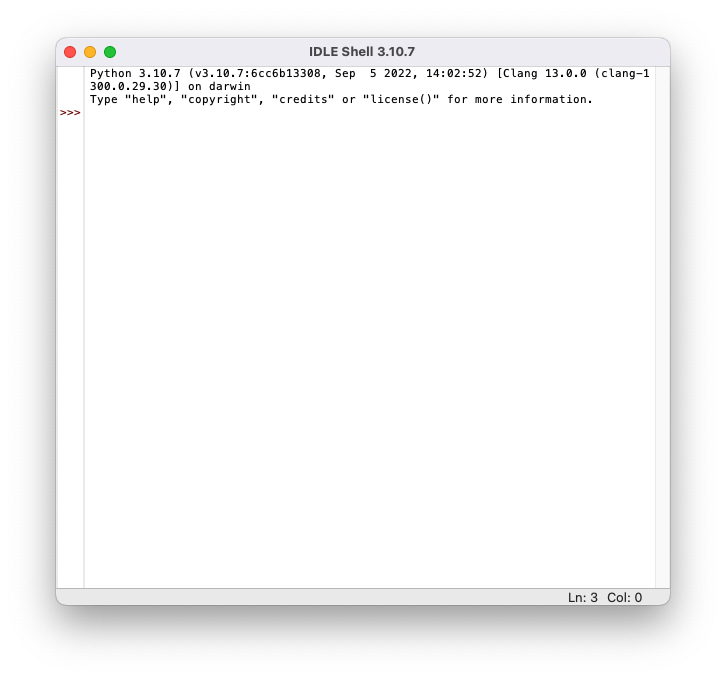
Go to Launchpad and look for IDLE (Integrated Development and Learning Environment)
Or, go to Launchpad, then Others, then Terminal, and finally type python3 there
The Application Layer is the seventh and topmost layer of the OSI model, providing the interface for end users to interact with network services. It acts as a bridge between user applications and the underlying network, allowing software to access communication functions without managing data transport or routing. This layer handles high-level protocols and services that enable tasks such as sending emails, browsing the web, transferring files, and accessing remote databases.
By providing these services, the Application Layer ensures seamless and efficient user interaction with the network.
In addition to user interaction, the Application Layer formats, presents, and interprets data in a way applications can understand. It could include functions such as data encoding, encryption, and session management to ensure information is meaningful, secure, and correctly synchronized. For example, a web browser at this layer requests HTML pages from a web server via HTTP and presents the content to the user in a readable format. Similarly, email clients use protocols such as SMTP, POP3, and IMAP to send, receive, and organize messages.
The Application Layer interacts closely with the Presentation and Session Layers to provide complete end-to-end services. While the Presentation Layer handles data translation and formatting, and the Session Layer manages communication sessions, the Application Layer focuses on making network services accessible and usable to end users. This layer encompasses a wide variety of protocols and services, from web and email to file transfer, remote login, and messaging, ensuring that network functionality translates into practical, user-facing applications.
Hypertext Transfer Protocol (HTTP)
Hypertext Transfer Protocol (HTTP) is a TCP/IP-based protocol that enables communication between a client, such as a web browser, and a web server. It defines the rules for requesting and delivering resources like HTML pages, images, videos, and other web content over the internet
HTTP operates as a stateless protocol, meaning each request from a client to a server is independent. However, extensions like cookies and sessions can maintain state across multiple interactions. By standardizing communication between clients and servers, HTTP enables users to access and navigate websites seamlessly, making it the foundation of data exchange on the World Wide Web.
Some HTTP Headers
Host: Target virtual host to use (HOST:PORT)
Server: Target server that handled the request
User-Agent: Software/Browser that is making the request
Some HTTP request methods
GET: Read data
POST: Insert data
HEAD: Return metadata about the target
Some HTTP Response Status Codes
200: Request has succeeded
404: Server cannot find the requested resource
500: Internal server error
If you want to get a file named test.html from qeeqbox.com, your HTTP request will be something like this
GET /test.html HTTP/1.1 Host: www.qeeqboox.com
If the server does have the requested file, the HTTP response will be
HTTP/1.1 200 OK Content-Length: 12 Content-Type: text/plain; charset=utf-8
Hello World!
If the file does not exist, the HTTP response will be
HTTP/1.1 404 Content-Length: 0
Uniform Resource Locator (URL)
A Uniform Resource Locator (URL) is a standardized and unique identifier used to locate and access resources on the internet, such as web pages, files, or services. It provides the necessary information for a client, like a web browser, to retrieve a resource from a specific server.
Protocol: A set of rules that define how content is transferred between the web server and browser
Sub Domain: An extension to a domain name to separate a website section
Root Domain: A website’s main or primary domain
Top Level Domain: An identifier that’s used to categorize the domain
Sub Directory: A directory that exists inside another directory
A process is an instance of a running application on a computer or device. It represents the program in action, including its code, current activities, memory allocation, and system resources it uses while executing. A single application can create multiple processes simultaneously, allowing different parts of the program to run independently or enabling multiple users to use the same application at once.
The operating system manages processes by allocating resources, scheduling execution, and isolating each process to prevent interference. This ensures that applications run efficiently and securely.
Foreground: Requires user to interact with it
Background: Does not require users to interact with it
Services
A service is a type of process that runs continuously in the background without terminating, providing ongoing functionality to the operating system or other applications. Unlike regular processes that start and stop with user interaction, services are designed to operate independently. They typically start automatically when the system boots and run until it shuts down.
Examples include web server services, database services, and print spoolers. These services handle requests, manage resources, or deliver functionality continuously. By operating persistently, services ensure that essential system functions and networked applications remain available and responsive at all times.
Application
An application is a software program designed to perform specific tasks or functions for users or other systems. It provides a user-friendly interface or automated processes that allow individuals or devices to accomplish objectives such as word processing, web browsing, data analysis, gaming, or communication.
Applications can range from simple utilities to complex software suites and rely on underlying system resources, such as the operating system and network services, to function effectively. By translating user inputs into actions and delivering outputs in a usable form, applications bridge the gap between technical systems and practical, everyday tasks.
Web Application
A web application is a software program that runs on a web server and is accessed by users through a web browser or network client over the internet or an internal network. Unlike traditional desktop applications, web applications do not require local installation and can provide interactive functionality such as online shopping, email services, social media platforms, or cloud-based productivity tools.
Web applications rely on web technologies like HTML, CSS, JavaScript, and server-side programming languages to process user input, communicate with databases, and deliver dynamic content. By operating over a network, web applications allow users to access services from anywhere, on various devices, while centralizing maintenance and updates on the server side.
Cyberattacks
Cross-Site Scripting
A threat actor aims to execute malicious actions on the victim’s website (It’s a client-side code injection attack)
Reflected Cross-Site Scripting
A threat actor injects malicious content into web pages or web applications. The content will be reflected in the response and executed in the victim’s browser
Dom-Based Cross-Site Scripting
A threat actor injects malicious content into web pages or web applications. The content is not reflected in the response and is executed in the victim’s browser
Stored Cross-Site Scripting
A threat actor injects malicious content into a vulnerable server. The content is retrieved by users and then execute
Cross-site request forgery
A threat actor may trick an authenticated or trusted victim into transmitting unauthorized actions on their behalf
A threat actor crafts an exploit URL for a fund transfer and sends it to an authenticated user
Denial-of-service (DoS)
A threat actor makes a target device\resource unavailable by overloading it using a device
A threat actor uses one device to overload XYZ LLC’s website (This was common in the old days, but nowadays it often does not work )
Distributed Denial of Service (DDoS)
A threat actor makes a target device\resource unavailable by flooding using multiple devices
A threat actor uses hundreds of infected devices to flood XYZ LLC’s website
PCAP Example
The client requested web content from the server over an insecure protocol called HTTP, the server responded with the web content, the client received the web content and got rendered by the client’s web browser. Insecure protocols can be intercepted, and the data carried in them can be modified
from http.server import SimpleHTTPRequestHandler # Import the built-in HTTP request handler from socketserver import TCPServer # Import a basic TCP server implementation from io import BytesIO # Import BytesIO to handle bytes in memory (for gzip compression) from gzip import GzipFile # Import GzipFile to compress HTTP response from datetime import datetime # Import datetime to generate timestamps for logging from contextlib import suppress # Import suppress to prevent crashes
with suppress(Exception): # Try importing network interface details from netifaces import gateways, ifaddresses, AF_INET, AF_LINK # Network interface utilities print(“The default network interface is: “, gateways()[‘default’][AF_INET][1]) # Display default network interface name print(“The default network interface mac address is: “, ifaddresses(gateways()[‘default’][AF_INET][1])[AF_LINK]) # Display MAC address of the default network interface
class Server(SimpleHTTPRequestHandler): # Define a custom HTTP server
def do_GET(self): # Handle HTTP GET requests compressed = False # Track whether gzip compression is used content = b'<HTML><h1>Hello World!</h1></HTML>’ # HTTP response body (bytes)
if len(content) > 0: # Only attempt compression if content exists if ‘accept-encoding’ in self.headers: # Check if client sent Accept-Encoding header if ‘gzip’ in self.headers[‘accept-encoding’]: # Client supports gzip bytes_ = BytesIO() # Create an in-memory byte buffer with GzipFile(fileobj=bytes_, mode=’w’, compresslevel=5) as f: # Gzip wrapper f.write(content) # Compress the response body content = bytes_.getvalue() # Replace content with compressed bytes compressed = True # Mark response as compressed
self.send_response(200) # Send HTTP 200 OK status if compressed: self.send_header(‘content-encoding’, ‘gzip’) # Notify client of gzip encoding self.send_header(‘content-length’, len(content)) # Send content length header self.end_headers() # End HTTP headers self.wfile.write(content) # Write response body to client
TCPServer((‘0.0.0.0’, 80), Server).serve_forever() # Start server on all interfaces, port 80
from http.server import SimpleHTTPRequestHandler from socketserver import TCPServer from io import BytesIO from gzip import GzipFile from datetime import datetime from contextlib import suppress
with suppress(Exception): from netifaces import gateways, ifaddresses, AF_INET, AF_LINK print("The default network interface is: ",gateways()['default'][AF_INET][1]) print("The default network interface mac address is: ",ifaddresses(gateways()['default'][AF_INET][1])[AF_LINK])
class Server(SimpleHTTPRequestHandler): def do_GET(self): compressed = False content = b'<HTML><h1>Hello World!</h1></HTML>' if len(content) > 0: if 'accept-encoding' in self.headers: if 'gzip' in self.headers['accept-encoding']: bytes_ = BytesIO() with GzipFile(fileobj=bytes_, mode='w', compresslevel=5) as f: f.write(content) f.close() content = bytes_.getvalue() compressed = True self.send_response(200) if compressed: self.send_header('content-encoding', 'gzip') self.send_header('content-length', len(content)) self.end_headers() self.wfile.write(content)
from http.server import SimpleHTTPRequestHandler # Import the built-in HTTP request handler from socketserver import TCPServer # Import a basic TCP server implementation from io import BytesIO # Import BytesIO to handle bytes in memory (for gzip compression) from gzip import GzipFile # Import GzipFile to compress HTTP response from datetime import datetime # Import datetime to generate timestamps for logging from contextlib import suppress # Import suppress to prevent crashes
with suppress(Exception): # Try importing network interface details from netifaces import gateways, ifaddresses, AF_INET, AF_LINK # Network interface utilities print(“The default network interface is: “, gateways()[‘default’][AF_INET][1]) # Display default network interface name print(“The default network interface mac address is: “, ifaddresses(gateways()[‘default’][AF_INET][1])[AF_LINK]) # Display MAC address of the default network interface
class Server(SimpleHTTPRequestHandler): # Define a custom HTTP server
def do_GET(self): # Handle HTTP GET requests compressed = False # Track whether gzip compression is used content = b'<HTML><h1>Hello World!</h1></HTML>’ # HTTP response body (bytes)
if len(content) > 0: # Only attempt compression if content exists if ‘accept-encoding’ in self.headers: # Check if client sent Accept-Encoding header if ‘gzip’ in self.headers[‘accept-encoding’]: # Client supports gzip bytes_ = BytesIO() # Create an in-memory byte buffer with GzipFile(fileobj=bytes_, mode=’w’, compresslevel=5) as f: # Gzip wrapper f.write(content) # Compress the response body content = bytes_.getvalue() # Replace content with compressed bytes compressed = True # Mark response as compressed
self.send_response(200) # Send HTTP 200 OK status if compressed: self.send_header(‘content-encoding’, ‘gzip’) # Notify client of gzip encoding self.send_header(‘content-length’, len(content)) # Send content length header self.end_headers() # End HTTP headers self.wfile.write(content) # Write response body to client
TCPServer((‘0.0.0.0’, 80), Server).serve_forever() # Start server on all interfaces, port 80
from http.server import SimpleHTTPRequestHandler from socketserver import TCPServer from io import BytesIO from gzip import GzipFile from datetime import datetime from contextlib import suppress
with suppress(Exception): from netifaces import gateways, ifaddresses, AF_INET, AF_LINK print("The default network interface is: ",gateways()['default'][AF_INET][1]) print("The default network interface mac address is: ",ifaddresses(gateways()['default'][AF_INET][1])[AF_LINK])
class Server(SimpleHTTPRequestHandler): def do_GET(self): compressed = False content = b'<HTML><h1>Hello World!</h1></HTML>' if len(content) > 0: if 'accept-encoding' in self.headers: if 'gzip' in self.headers['accept-encoding']: bytes_ = BytesIO() with GzipFile(fileobj=bytes_, mode='w', compresslevel=5) as f: f.write(content) f.close() content = bytes_.getvalue() compressed = True self.send_response(200) if compressed: self.send_header('content-encoding', 'gzip') self.send_header('content-length', len(content)) self.end_headers() self.wfile.write(content)