Physical Layer
The Physical Layer is the lowest layer in the OSI (Open Systems Interconnection) model, defining physical connections between devices in a network. It handles raw binary data, or bit-streams, consisting of 1s and 0s without processing or decision-making.
This layer converts bits into signals for transmission over media such as copper cables, fiber-optic networks, or wireless networks. In electrical cables, bit representation is 1 for medium-high voltage and 0 for low voltage; in optical fibers, it is 1 for light pulses and 0 for their absence.
The Physical Layer also defines connector types, cable specifications, signal frequencies, transmission rates (bandwidth), and network topology. It ensures reliable data transmission between devices, forming the foundation for higher layers of the network model. Though it is unaware of the content being transmitted, its proper functioning is critical for overall performance and reliability.
Coaxial Cable
A coaxial cable is an electrical cable designed to transmit radio frequency (RF) signals with minimal loss and interference. It consists of a central copper conductor surrounded by an insulating layer, a metallic shield, and an outer protective jacket. The metallic shield protects the signal from electromagnetic interference, making coaxial cables ideal for applications like cable television, internet connections, and radio communications.
Coaxial cables can transmit high-frequency signals over long distances while maintaining signal integrity, and they are widely used in both residential and commercial networking environments.
Binary
Binary is a base-2 number system using only two values: 1 and 0. It represents all forms of data and instructions in digital systems. Each digit in a binary number, called a bit, is the fundamental unit of information in computing and digital communications.
The simplicity of binary makes it ideal for electronic devices, as circuits can easily distinguish between two states-ON (1) and OFF (0), or high and low voltage. By combining multiple bits, complex data, instructions, and multimedia content can be efficiently encoded, stored, and transmitted, forming the foundation of modern computing and digital communication technologies.
echo -n "qeeqbox" | xxd -b
00000000: 01110001 01100101 01100101 01110001 01100010 01101111  qeeqbo
00000006: 01111000                                               x
Bits
A bit, short for binary digit, is the smallest unit of data in a computer and represents a single binary value: 0 or 1. Bits are the fundamental building blocks of all digital information, forming the basis for how computers store, process, and transmit data. By combining multiple bits, more complex units such as bytes, characters, and instructions can be represented.
Despite their simplicity, bits enable computers to perform a wide range of operations, from basic calculations to running sophisticated software, making them essential to the functioning of all digital systems.
1  On
0  Off
Bytes
A byte is a unit of digital information consisting of 8 bits and is commonly used to represent a single character, such as a letter, number, or symbol. For example, the letter "C" is represented in binary as 01000011, with each bit contributing to the character’s value.
While one byte is sufficient for most standard ASCII characters, more complex characters (such as those from non-Latin alphabets, emojis, or special symbols) may require multiple bytes, as seen in encoding schemes like UTF-8. Bytes serve as a fundamental unit of memory and storage in computers, allowing data to be organized, processed, and transmitted efficiently across digital systems.
00110001 is equal to 1
01110100 01100101 01110011 01110100 is equal to test
Medium types
- Cables
- The signals are electrical pulses
- Fiber
- The signals are light pluses
- Wireless
- The signals are electromagnetic waves
Some Functions
- Transmission mode
- Simplex: A unidirectional communication where the sender sends data, and the receiver receives data
- Half duplex: A bidirectional communication where the sender can send or receive data but only in one direction at a time
- Full duplex: A bidirectional communication simultaneously where the sender can send and receive data at a time
- Physical typologies
- Point-to-point: Two nodes are connected with a dedicated link
- Bus: Nodes are connected using a single cable
- Ring: Each node is connected (Point-to-point) to another on each side, the last one is connected to the first one (Data travels in a circle)
- Mesh: Nodes are connected (Point-to-point) with all the other nodes
- Star: Nodes are connected to a central node (Each node communicates indirectly through the central node)
Latency
Latency is the time it takes for data to travel from its source to its destination across a network or system. It is a critical measure of network performance and responsiveness, influenced by factors such as physical distance, the quality of the transmission medium, the number of network hops, and processing time at intermediate devices.
Low latency is essential for real-time applications such as video conferencing, online gaming, and financial trading, where even small delays can significantly degrade performance and user experience. High latency can cause lag, slow data transfers, and reduced efficiency, making it a key consideration in network design, optimization, and
Wired vs. Wireless
- Wired
- Faster data transfer: Speed is consistent
- Has Lower latency: Data travels faster, which means low latency by default
- Hard to deploy: Connected devices usually do not move (Desktop)
- More secure (Data does not need to be encrypted?): Data can be accessed by devices that physically attached to that network
- Wireless
- Slow data transfer
- Speed is not consistent
- Has higher latency
- Distance
- Data is susceptible to noise (Re-send)
- Data is encrypted and needs some time to be decrypted
- Easy to deploy
- Connected devices can be moved (A smart phone)
- Less secure (Data needs to be encrypted?)
- Data travels through the air and can be intercepted
- Slow data transfer
Examples
- Network interface cards (NIC): Provides a physical connection to a network
- Modem: Converts the signal type from one type to another type
- Hubs: Connects multiple devices in the network (A node that broadcasts data to all connected devices)
- Cables: A wire or a set of wires that connects one device with another
Physical attacks
- Theft: A threat actor may steal a device or an equipment (T1052 Exfiltration Over Physical Medium )
- Jamming: A threat actor may send interfering signals to the target (T1464 Network Denial of Service)
- Tampering: A threat actor may cut cables, unplug devices, etc..
- Tapping: A threat actor may plug a device that monitors the network traffic (T1200 Hardware Additions)
PCAP Example
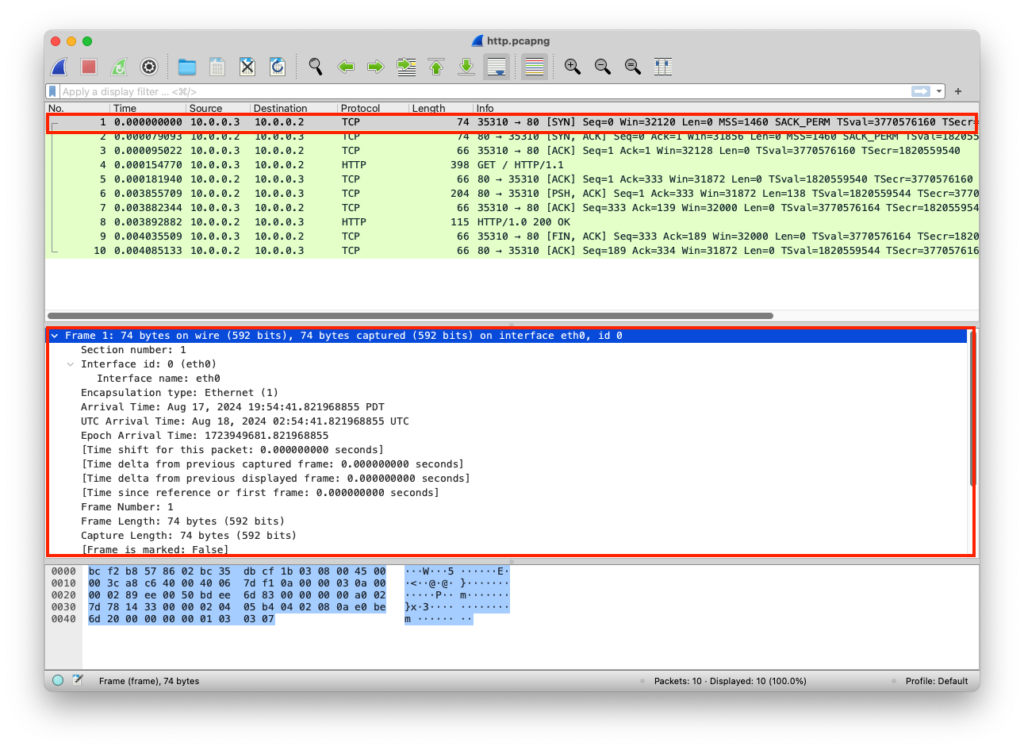
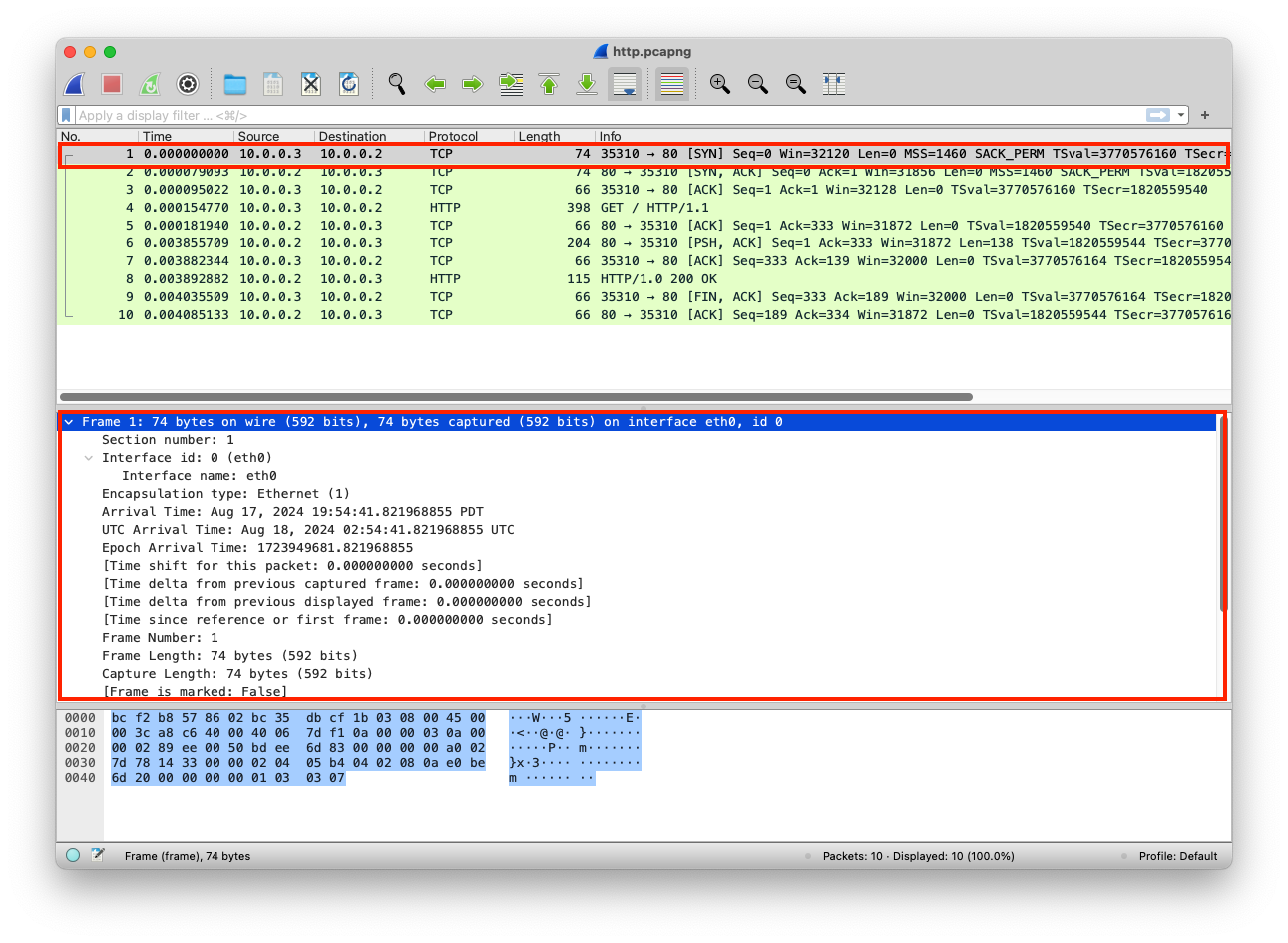
In the PCAP file, you can get an overview of the data by clicking on the entry, then Frame 1 (In this case, it’s the metadata gathered about the data), which includes detailed info about the data that are transmitted or received, some of the info, like interface id, name, and description, are not part of the data, but they are in Wireshark for analysis and troubleshooting network problems
from http.server import SimpleHTTPRequestHandler # Import the built-in HTTP request handler
from socketserver import TCPServer # Import a basic TCP server implementation
from io import BytesIO # Import BytesIO to handle bytes in memory (for gzip compression)
from gzip import GzipFile # Import GzipFile to compress HTTP response
from datetime import datetime # Import datetime to generate timestamps for logging
from contextlib import suppress # Import suppress to prevent crasheswith suppress(Exception): # Try importing network interface details
from netifaces import gateways, ifaddresses, AF_INET, AF_LINK # Network interface utilities
print(“The default network interface is: “, gateways()[‘default’][AF_INET][1]) # Display default network interface name
print(“The default network interface mac address is: “, ifaddresses(gateways()[‘default’][AF_INET][1])[AF_LINK]) # Display MAC address of the default network interfaceclass Server(SimpleHTTPRequestHandler): # Define a custom HTTP server
def do_GET(self): # Handle HTTP GET requests
compressed = False # Track whether gzip compression is used
content = b'<HTML><h1>Hello World!</h1></HTML>’ # HTTP response body (bytes)if len(content) > 0: # Only attempt compression if content exists
if ‘accept-encoding’ in self.headers: # Check if client sent Accept-Encoding header
if ‘gzip’ in self.headers[‘accept-encoding’]: # Client supports gzip
bytes_ = BytesIO() # Create an in-memory byte buffer
with GzipFile(fileobj=bytes_, mode=’w’, compresslevel=5) as f: # Gzip wrapper
f.write(content) # Compress the response body
content = bytes_.getvalue() # Replace content with compressed bytes
compressed = True # Mark response as compressedself.send_response(200) # Send HTTP 200 OK status
if compressed:
self.send_header(‘content-encoding’, ‘gzip’) # Notify client of gzip encoding
self.send_header(‘content-length’, len(content)) # Send content length header
self.end_headers() # End HTTP headers
self.wfile.write(content) # Write response body to clientdef log_message(self, format, *args): # Override default request logging
print(“[{}] – {}:{} – {} {}”.format( # Custom log format
datetime.now().strftime(“%m/%d/%Y %H:%M:%S”), # Timestamp
self.client_address[0], # Client IP address
self.client_address[1], # Client source port
args[0], # HTTP method
args[1] # Requested path
))TCPServer((‘0.0.0.0’, 80), Server).serve_forever() # Start server on all interfaces, port 80
from http.server import SimpleHTTPRequestHandler
from socketserver import TCPServer
from io import BytesIO
from gzip import GzipFile
from datetime import datetime
from contextlib import suppress

with suppress(Exception):
    from netifaces import gateways, ifaddresses, AF_INET, AF_LINK
    print("The default network interface is: ",gateways()['default'][AF_INET][1])
    print("The default network interface mac address is: ",ifaddresses(gateways()['default'][AF_INET][1])[AF_LINK])

class Server(SimpleHTTPRequestHandler):
    def do_GET(self):
        compressed = False
        content = b'<HTML><h1>Hello World!</h1></HTML>'
        if len(content) > 0:
            if 'accept-encoding' in self.headers:
                if 'gzip' in self.headers['accept-encoding']:
                    bytes_ = BytesIO()
                    with GzipFile(fileobj=bytes_, mode='w', compresslevel=5) as f:
                        f.write(content)
                        f.close()
                        content = bytes_.getvalue()
                        compressed = True
        self.send_response(200)
        if compressed:
            self.send_header('content-encoding', 'gzip')
        self.send_header('content-length', len(content))
        self.end_headers()
        self.wfile.write(content)

    def log_message(self, format, *args):
        print("[{}] - {}:{} - {} {}".format(datetime.now().strftime("%m/%d/%Y %H:%M:%S"), self.client_address[0],self.client_address[1],args[0],args[1]))

TCPServer(('0.0.0.0', 80), Server).serve_forever()
Clint/Server Data
The data is transmitted and transported in raw format
| Layer | Protocol | PDU | Info | Ports | IPs | MACs |
| Transport Layer | TCP | Segments | 3 Way handshake Process (SYN) | Src Port: 35310 Dst Port: 80 | ||
| Network Layer | IP | Packets | 3 Way handshake Process (SYN) | Src Port: 35310 Dst Port: 80 | Src IP: 10.0.0.3 Dst IP: 10.0.0.2 | |
| Data Link Layer | Ethernet | Frames | 3 Way handshake Process (SYN) | Src Port: 35310 Dst Port: 80 | Src IP: 10.0.0.3 Dst IP: 10.0.0.2 | Src MAC: bc:35:db:cf:1b:03 Dst MAC: bc:f2:b8:57:86:02 |
| Physical Layer | Coax | Bits | 01001000 01010100 01010100 | 01001000 01010100 | 01001000 01010100 | 01001000 01010100 |